How to install on Fire Stick

Indian IPTV service

Watch from anywhere. Worldwide.

App can be installed on any Android or Fire TV device.Enjoy access to your favorite Indian channels anytime and anywhere. 300+ SD & HD channels in multiple languages, including Malayalam, Hindi, Punjabi, Tamil, Telugu, Bangla and Gujarati.All your favorite South Indian channels and movies in one place. Made for Android and Amazon Fire TV devices.

Try the service for free. No credit card required, instant activation.

No hidden fees. No contracts.


1. From the device’s Main Menu select Settings
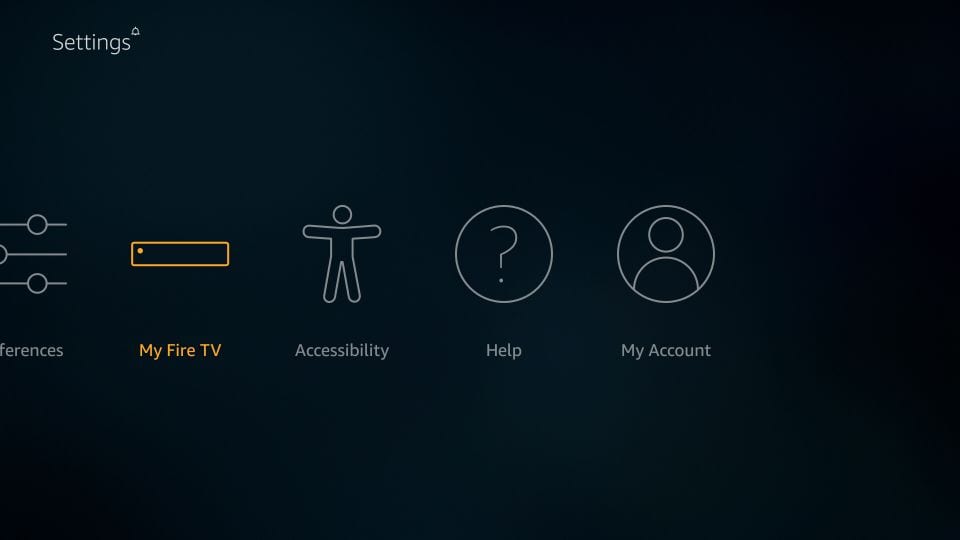

2. Click My Fire TV
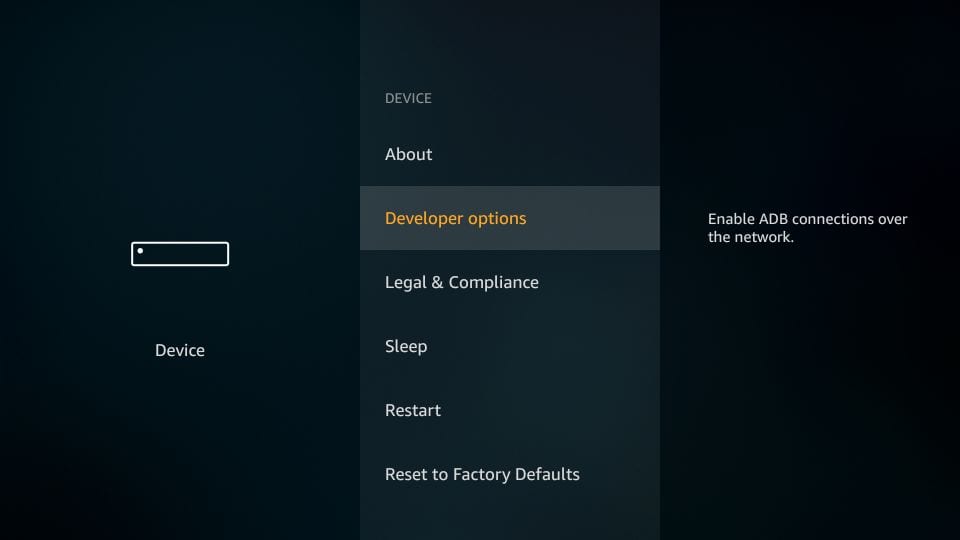

3. Choose Developer Options
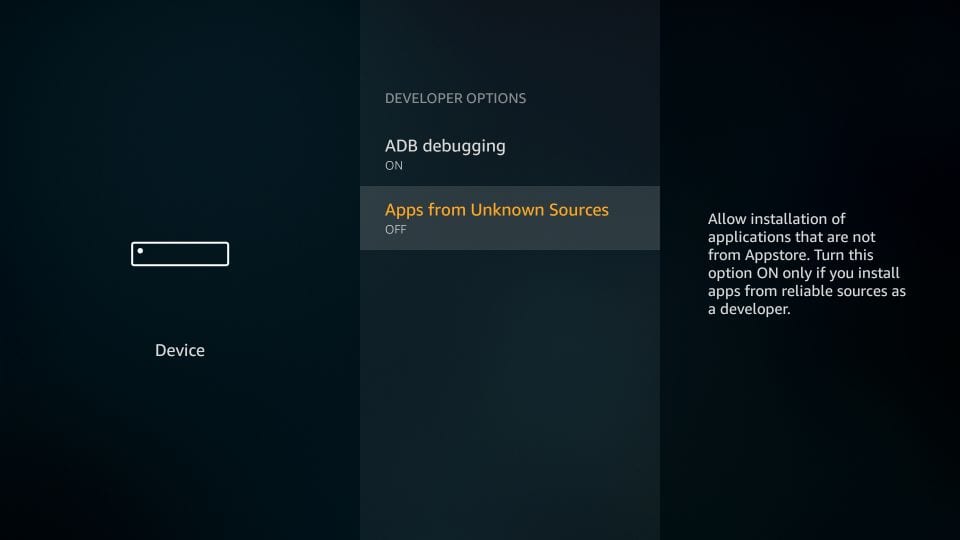

Click Apps from Unknown Sources
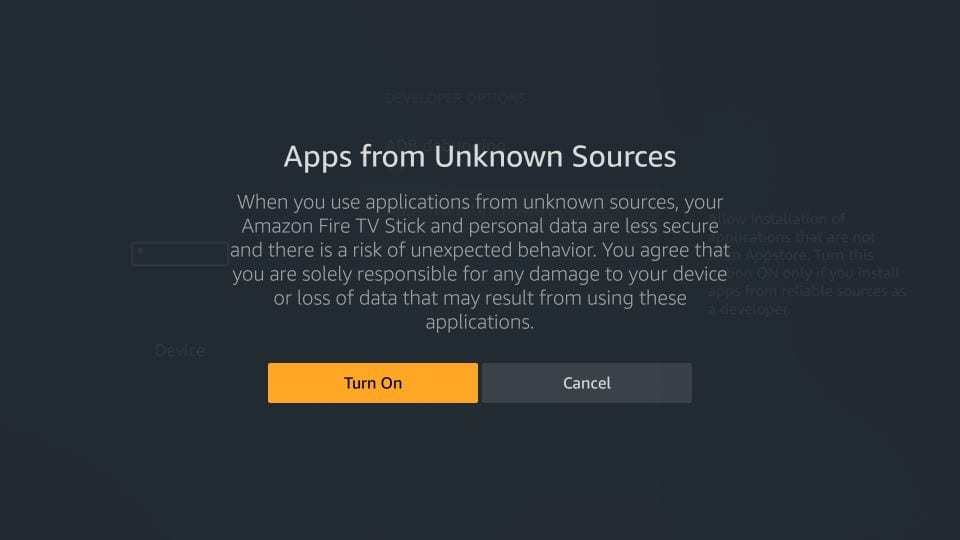

5. Choose Turn On


6. Return to the home screen and click on Search icon and type in Downloader.
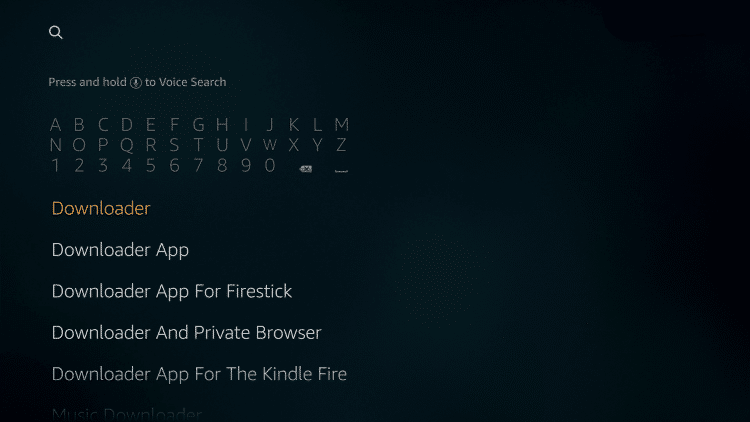

7. Select the Downloader
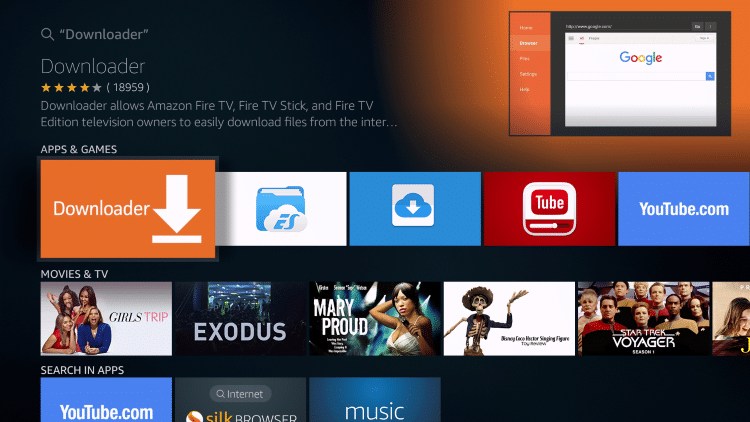

8. Select the Downloader app
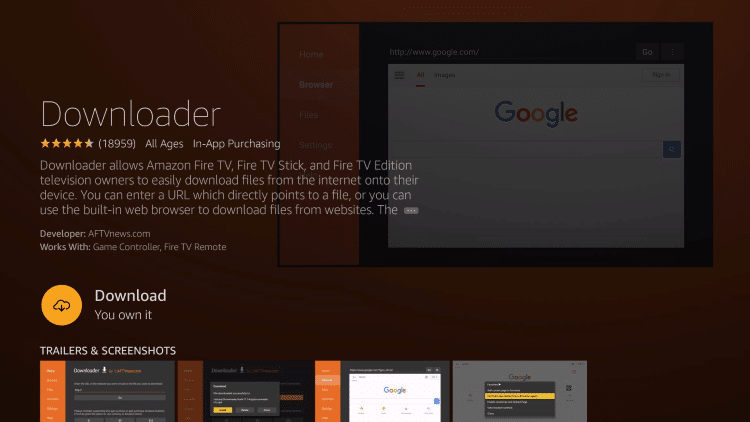

9. Click Download
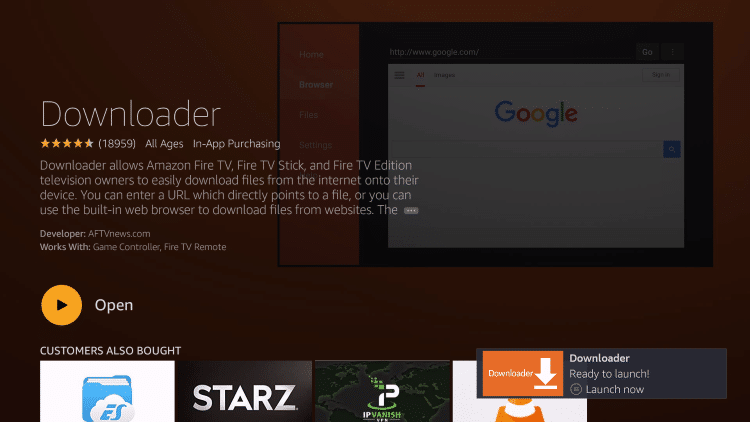

10. Click Open
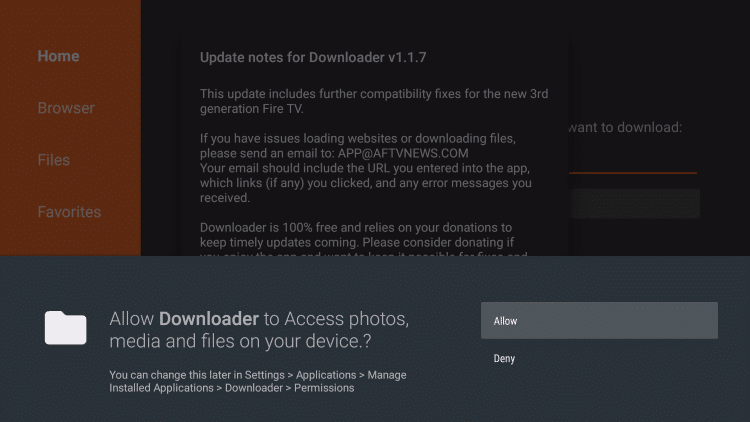

11. Click Allow


© Copyright Firedroidapps